AI-first search is changing how brands need to think about marketing budgets. Here’s how to rethink your investment across SEO, GEO, content, paid media and Digital PR.
How To Build A Marketing Budget For An AI-First Search Landscape
read more
When you load up Premiere Pro for the first time – did you have the same reaction as us?
Sheer terror.
When you open Premiere Pro, it can look very intimidating, but don’t fret – let’s talk you through the basics of making awesome video content. There are loads of other choices of video software out there, but Premiere Pro is the weapon of choice for me. DaVinci Resolve, Final Cut Pro, iMovie… believe me, I have tried the rest… for me personally, Premiere Pro just works the best.
So let’s start with an easy step – open Premiere Pro. We’re running Adobe Premiere Pro 2021 on an Apple Macbook Pro, but Premiere has the same layout on Windows computers, so you’ll still be able to follow along.
OK, so this will probably be the first screen that you see when you open up, so click on create a new project, save it where you like and give it a nice name.
Don’t worry about any of the other settings on here for now, hit OK and it’s going to open up Premiere Pro for you.
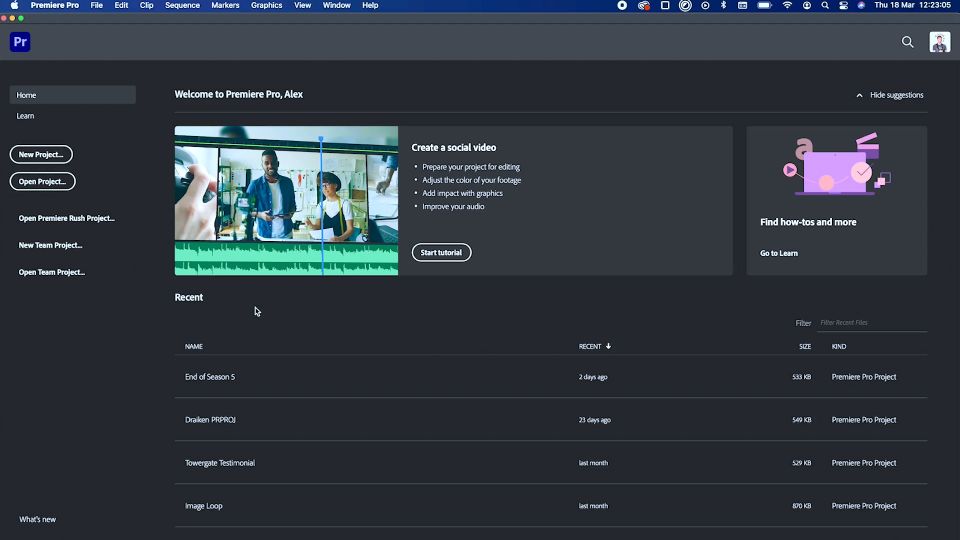
OK, so this will probably be the first screen that you see when you open up, so click on create a new project, save it where you like and give it a nice name.
Don’t worry about any of the other settings on here for now, hit OK and it’s going to open up Premiere Pro for you.
Ready for a digital marketing partner that delivers clear scoping, full transparency, and proven results? Fill out the form below to connect directly with the Sleeping Giant Media team and discover how we can help your business thrive.
AI-first search is changing how brands need to think about marketing budgets. Here’s how to rethink your investment across SEO, GEO, content, paid media and Digital PR.
ChatGPT Work and Claude Design 2.0 are changing how marketing teams create, automate and manage work. But as AI takes on more of the workflow, what happens to human oversight, brand ownership and compliance?
Reddit’s share of ChatGPT citations dropped by 86.4% in just four days. So, what happened? We look at what the change could mean for AI visibility, why relying too heavily on a single citation source creates risk, and what marketers should be doing to build a more resilient strategy.